
Delete or Deactivate Unnecessary Accounts
When signing up for an account online, more often than not you will be asked to provide personal information such as your name, email address, password, and sometimes your mobile number or picture. As technology has evolved over the years and new websites have been made, most accounts have been abandoned or forgotten. A lot of websites and apps will keep your personal information in their database unless you tell them to remove your account. We may not notice it, but having an excess amount of our data online contributes greatly to our digital footprint.
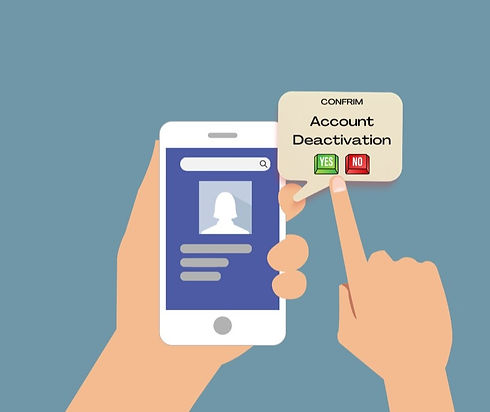
To prevent this, delete all accounts that you no longer use. For example, there may be websites, shopping and gaming apps that you no longer visit. Most of these will give you the option to delete or deactivate your account. Simply go to your account settings and look for an option to either deactivate, remove or close your account on any platform that you no longer use.
Unsubscribe from Mailing Lists
Most social media and shopping websites will add you to their mailing lists when you create an account. You will be sent emails usually containing their promotional materials and campaigns. Most people consider these emails as “spam” and ignore all of the newsletters and advertisements.
To reduce your digital footprint as well as limit the number of third parties with access to your personal information, you may unsubscribe from the extra mailing lists that you don’t need. You may find a small sign to unsubscribe usually at the bottom of an email. Just click on the unsubscribe link, sometimes it will redirect you to a page where you have to input your email address so that they can remove you from their mailing list.

Use Incognito Mode
With every click on your browser, the internet saves your information. Anyone can track your browser history, cookies and site data once they are stored in your device. Fortunately, most browsers have a stealth or incognito feature which enables you to use the internet without saving information to your device. When you close an incognito window, your browser discards any site data and cookies associated with that browsing session.

Using Incognito on Google Chrome
If you wish to go incognito on Google Chrome, use the keyboard shortcut combination Ctrl-Shift-N for Windows or Command-Shift-N for macOS.
Another option is to click on the menu on the upper right corner of the window (shown as three vertical dots), and select New Incognito Window from the list. An example of an incognito window is shown on the right.
Using Incognito on Safari
If you are using Safari, open a private window by using a three-key combination of Command-Shift-N or select the File menu and click on New Private Window.

Use a Virtual Private Network
Another way to reduce the risk of websites tracking your actions and collecting your data is by using a Virtual Private Network (VPN). A VPN hides your online activity by encrypting all data that you send and receive over the Internet. It disguises your data traffic online and protects it from external access by masking your true IP address, making it impossible for anyone to track your physical location. This can be helpful when using unsecure connections such as public Wi-Fi networks at cafes, restaurants, and malls. There are several free VPN apps and extensions you can add to your browser that you can use to prevent third-party apps from collecting your data.

Limit Social Media Posting
As we are in a social media-dominated world, we share a lot of our personal details to the public. It is important that we minimize exposure and data shared on the internet to protect our privacy and reduce our digital footprint. It’s easy to share a photo or thought online with a single post, but we must remind ourselves that once something is posted on the Internet, it can be difficult to remove. Avoid overhsaring personal details online by limiting posts to "friends only", turning off location data collection, or clicking options to remove your profile from public search engine results.

Avoid Clickbait Surveys
Some companies would ask you to answer a quick survey on random websites in exchange for a “prize” or discount on their products. Others will even ask you to sign in. These are often clickbait and when clicked, you are allowing them to collect your data, thus adding to your digital footprint. Avoid clicking on draft surveys, questionnaires, and advertisements to minimize data exposure.

References
-
Carnegie Mellon University. (n.d.). Reduce your digital footprint - information security office - computing services - Carnegie Mellon university. Cmu.Edu. Retrieved May 2, 2022, from https://www.cmu.edu/iso/aware/protect-your-privacy/digital-footprint.htm
-
Cybereason Japan Team. (n.d.). What is a VPN, and how can it help enterprises with remote workers? Cybereason.Com. Retrieved May 7, 2022, from https://www.cybereason.com/blog/what-is-a-vpn-and-how-can-it-help-enterprises-with-remote-workers
-
Georgiou, K. (2019, March 31). How to make money with online surveys. The Money Pig. https://themoneypig.com/online-surveys-for-money/
-
How Chrome Incognito keeps your browsing private. (n.d.). Google.Com. Retrieved May 2, 2022, from https://support.google.com/chrome/answer/9845881?hl=en
-
How to delete current user with UIAlert using swift with firebase. (n.d.). Stack Overflow. Retrieved May 7, 2022, from https://stackoverflow.com/questions/53091503/how-to-delete-current-user-with-uialert-using-swift-with-firebase
-
How to reduce and protect your digital footprint. (n.d.). Statefarm.Com. Retrieved May 2, 2022, from https://www.statefarm.com/simple-insights/family/how-to-reduce-and-protect-your-digital-footprint
-
Jones, R. (2021, January 14). Do incognito searches affect SEO or rankings. Search Engine Journal. https://www.searchenginejournal.com/do-incognito-searches-affect-seo-or-rankings/391769/
-
Keizer, G. (2021, September 2). How to go incognito in Chrome, Edge, Firefox, and Safari. Computerworld. https://www.computerworld.com/article/3356840/how-to-go-incognito-in-chrome-firefox-safari-and-edge.html?page=2
-
McCall, V. (2022, April 13). How to use incognito mode to browse the web privately on any phone or computer. Business Insider; Insider. https://www.businessinsider.com/incognito-mode
-
Nesbo, E. (2021, October 29). 10 easy ways to reduce your online footprint with a few clicks. MUO. https://www.makeuseof.com/how-to-reduce-your-online-footprint/
-
Raywood, D. (2018, July 2). Top ten ways to reduce your digital footprint. Infosecurity Magazine. https://www.infosecurity-magazine.com/magazine-features/top-ten-reduce-digital-footprint/
-
Rhiannon. (2022, January 24). 9 Steps to Reduce Your Digital Footprint. Hotbot.Com. https://www.hotbot.com/blog/9-steps-to-reduce-your-digital-footprint/